
Dues and collections
Who paid and who did not, always clear.
Dues are followed from accrual to collection, and on overdue debt all the way to a formal notice, in one file.

What changes, and for whom
For residents
Your balance, past periods and payments are on your phone. After a bank transfer you upload the receipt in the app. No need to call management to ask which month is paid.
For managers
Dues accrue every month by group, automatically. Reminders go out before and after the due date on their own. On overdue debt, who to call, payment promises and payment plans are together.
For staff
Management staff record cash received in person from their phone, see the collection files assigned to them, and can ask management for a formal notice.
How it works
- The due day, grace period and late fee rate are set for the site. Dues groups allow different amounts for different flat types. Existing debt lists are imported from Excel or CSV.
- Dues accrue every period. Reminders go out 5, 3 and 1 day before the due date and on set days after it. Debt reminders are never sent at night.
- The resident uploads a bank transfer receipt. The manager compares the image with the declared amount and approves, or declines with a reason. If the same image was uploaded before, the review window says so. Receipts waiting more than 48 hours trigger a reminder.
- Late fees accrue every night, capped at the monthly five percent set by Turkish condominium law. Calls, payment promises, disputes and payment plans are added to the file. A formal debt notice can be produced as a PDF, and enforcement or court proceedings are followed in the same file.
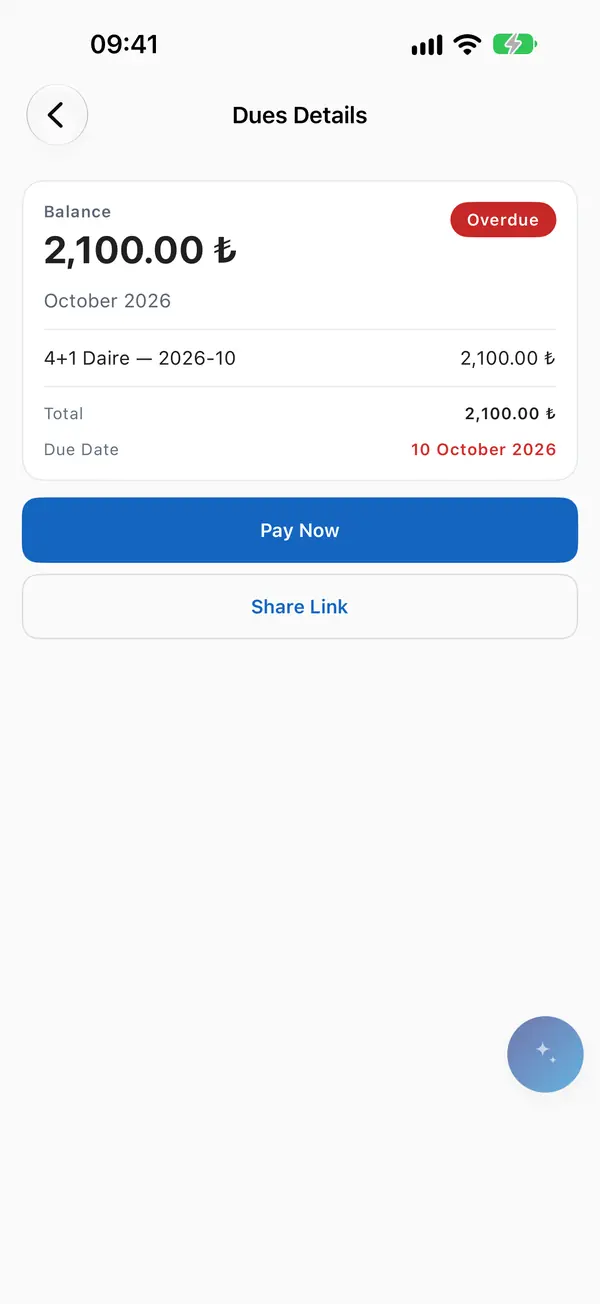
The resident’s dues screen.

In the management panel


Questions
Do we calculate late fees ourselves?
No. The system applies them every night. The rate cannot exceed the legal monthly five percent, and lowering it below that requires a general meeting decision.
What if a debtor wants to pay in instalments?
A payment plan is set up. It does not change the amount or due date of the debt, it only organises follow-up. A plan with a missed instalment is flagged, no plan is broken automatically.
What if a resident pays in cash?
A manager or management staff record it against the debt. If the amount exceeds the balance, the overpayment has to be confirmed explicitly.
Which reports are there?
Flat statement, debt ageing, collection summary and receivables roll-forward, downloadable as PDF or Excel.