
Security team
The night shift fits in a pocket.
Gagent greets visitors at the gate, security makes the decisions.

What changes, and for whom
For residents
If something happens in the garden, car park or gym, one button in the app calls the guard on shift. If nobody is on shift at that moment, the app says so plainly.
For managers
Build and publish the monthly rota in the panel. Near month end you are warned if next month’s rota is not published. You are notified when a guard on shift cannot be reached on their phone.
For staff
Next shift, who came to the gate today, who opened it, all on the phone. Calls are answered without leaving the booth, the visitor is seen live.
How it works
- The manager picks a shift template (day and night, three shifts or custom), edits the monthly rota on a calendar and publishes it. Guards get shift reminders and change notices.
- Gate calls and emergency calls ring only the guards on shift, the first to accept takes it. If no rota is set up or nobody is on shift, the call goes to every guard, so nobody is left out.
- The guard talks to the visitor on video, opens or declines. If the visitor named the wrong flat, the guard forwards the call to the right one.
- The guard on shift watches the gate camera live on the phone. Guards off shift cannot, and every viewing is logged with who watched and for how long.
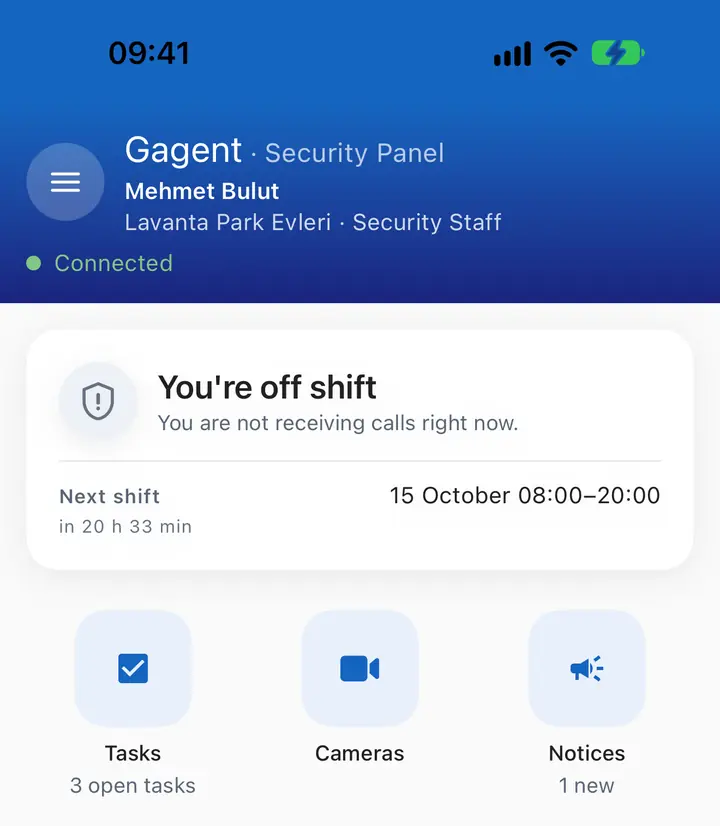
The guard’s home screen. 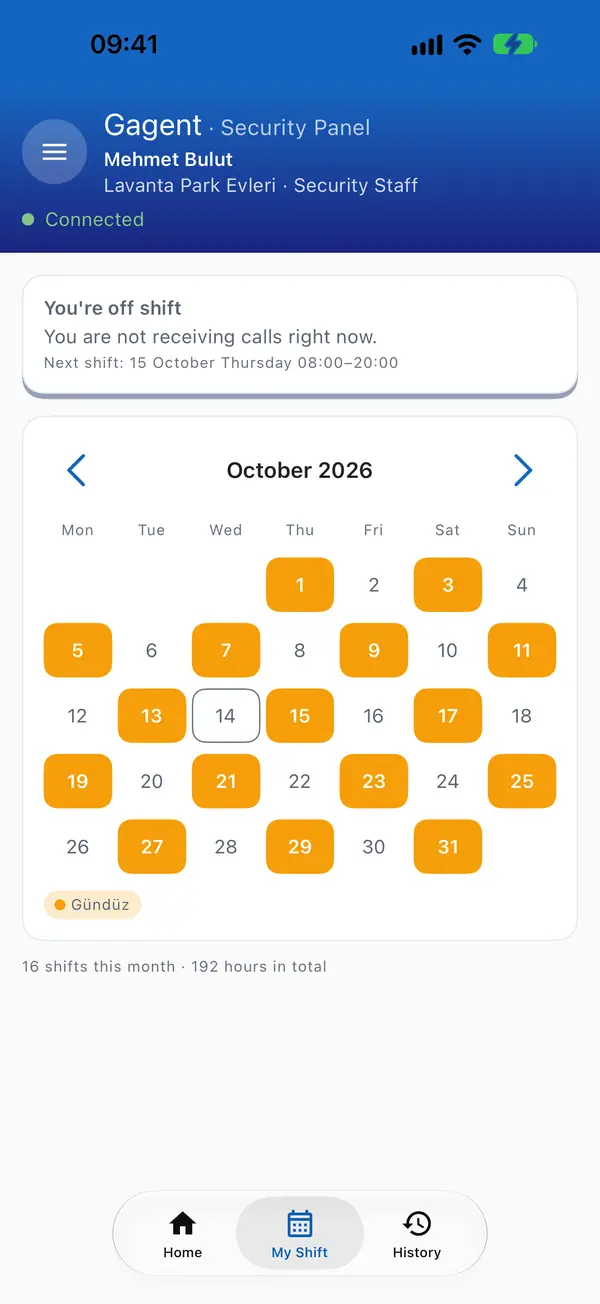
Shifts. 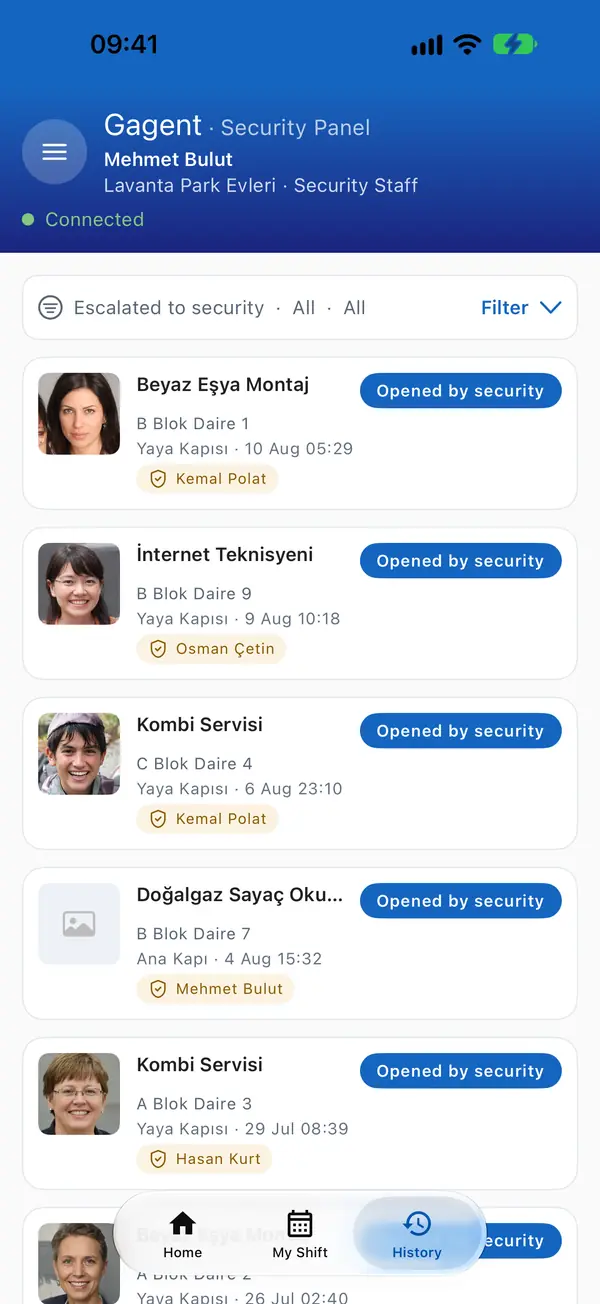
Today at the gate.


In the management panel

Questions
Does Gagent replace security guards?
No. It takes over routine greeting so your team can focus on their real job.
What if no guard can be reached?
If a gate call or emergency call reaches no guard, the site managers are notified.
Can we review emergency calls later?
Yes. Who called, who answered, ringing and talk time are listed in the panel.
Which languages is the security app in?
Turkish, English, German and Arabic.