
Guest QR invitation
Your guest does not wait, and you are not disturbed.
A resident sends a guest a QR invitation from the phone, the guest scans it at the gate and walks in.

What changes, and for whom
For residents
An invitation takes a few taps. When the guest arrives you do not have to go down or answer the phone, and they get in even when you are not home.
For managers
Every invitation on the site, with the resident and flat that created it, in one list. A suspicious invitation is cancelled from the panel at once.
For staff
No need to leave the booth or call the flat for an invited guest. The entry is still logged.
How it works
- The resident enters the guest’s name and purpose, picks a validity period (1, 3, 6 or 12 hours, 1 day or 2 days) and the number of entries (1 to 3).
- The invitation link is sent to the guest, who opens it in a browser without installing an app or signing in and sees the QR code.
- At the gate the guest scans the code, the gate opens if the invitation is valid, and the entry is logged.
- The resident sees how many times it was used and can cancel it at any time. Remaining entries are cancelled with it.
At gates where wayfinding is switched on, a guest who scans the code on the gate screen also gets directions to the block on their phone.
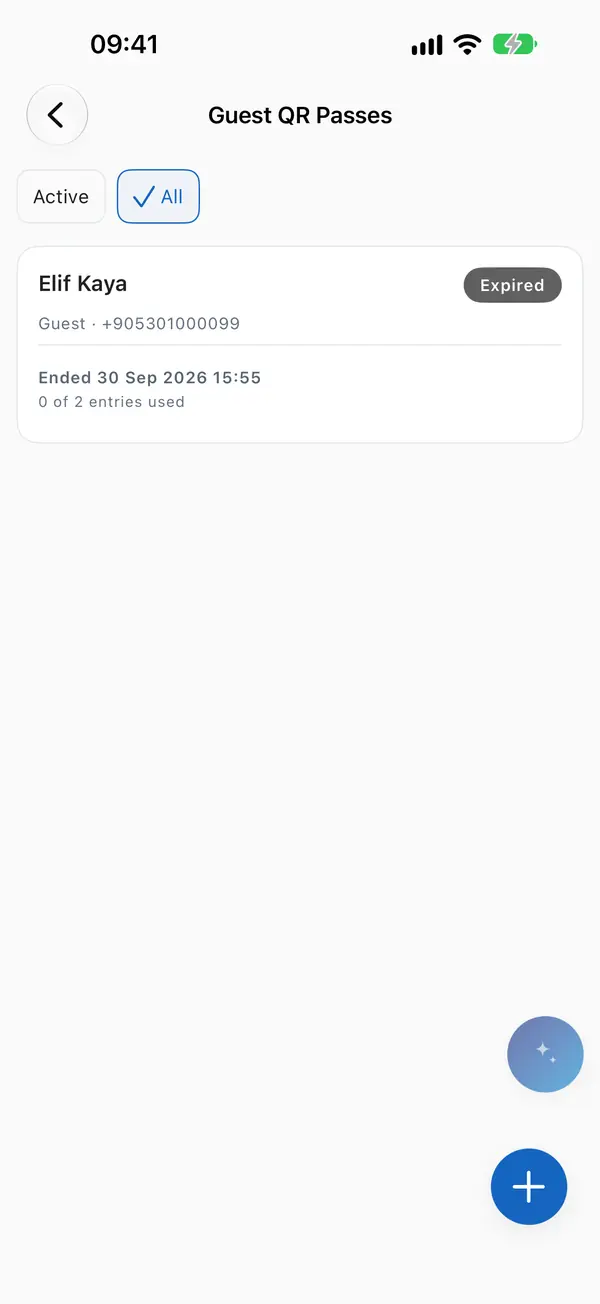
Invitations and remaining entries.

Questions
Does the guest need to download an app?
No. The invitation link opens in a browser, no sign-in needed.
What if an invitation reaches the wrong person?
The resident or the manager cancels it at once. A cancelled invitation does not open the gate.
Can I delete an invitation that was never used?
Yes, it is deleted completely. A used invitation is cancelled instead, to keep the record intact.
How long are old invitations kept?
Expired guest invitations are deleted automatically after 30 days.