
Facility booking
Is the tennis court free? Check your phone.
The calendar of shared spaces on the phone, with the rules you set.

What changes, and for whom
For residents
See which slot is free, book in a few taps, add household members and guests. Join the waiting list for a full slot and hear when it frees up.
For managers
Each facility has its own opening hours, capacity, slot length and approval rule. A facility can be closed for maintenance or cleaning. Weekly occupancy is on one screen.
For staff
Staff at the facility see the bookings for the current slot, check people in one by one, and record cash taken at the door for paid bookings.
How it works
- The manager defines the facility: name, type, capacity, slot length, open days, paid or free, and whether bookings need approval. Photos are added.
- The resident checks availability and requests a slot. Other residents’ names are not shown on taken slots.
- Where approval is needed, management approves or declines with a reason. A request still undecided when its slot starts closes on its own and does not hold the slot.
- Residents get a reminder before the booking. Staff check people in on site.
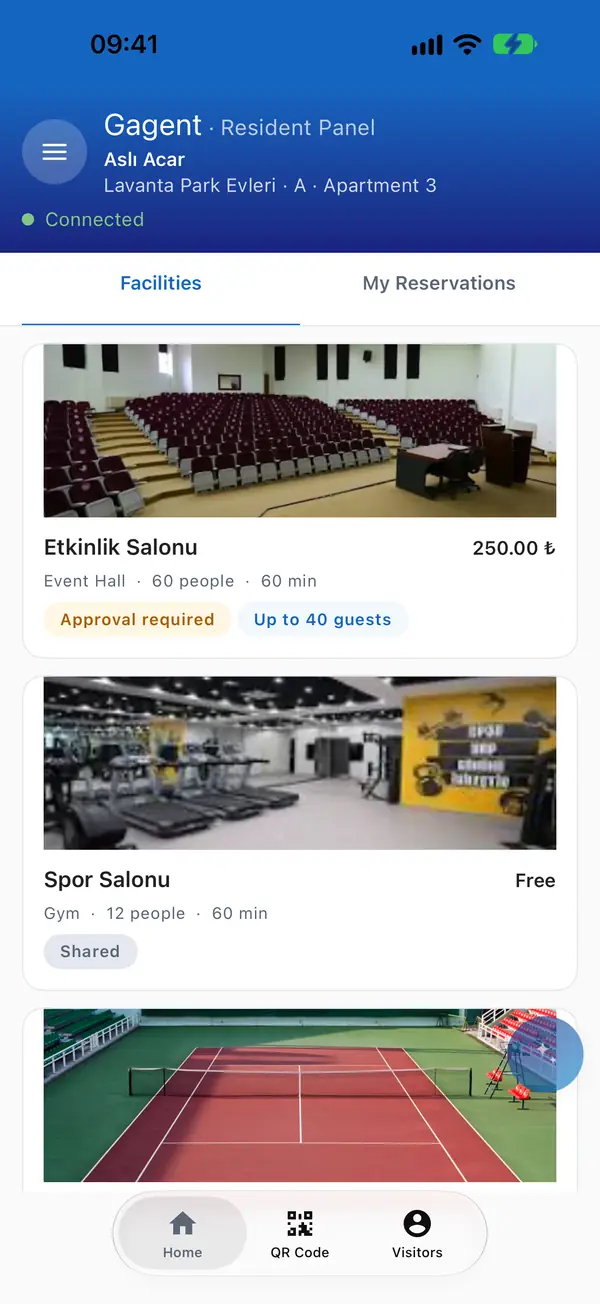
Facilities. 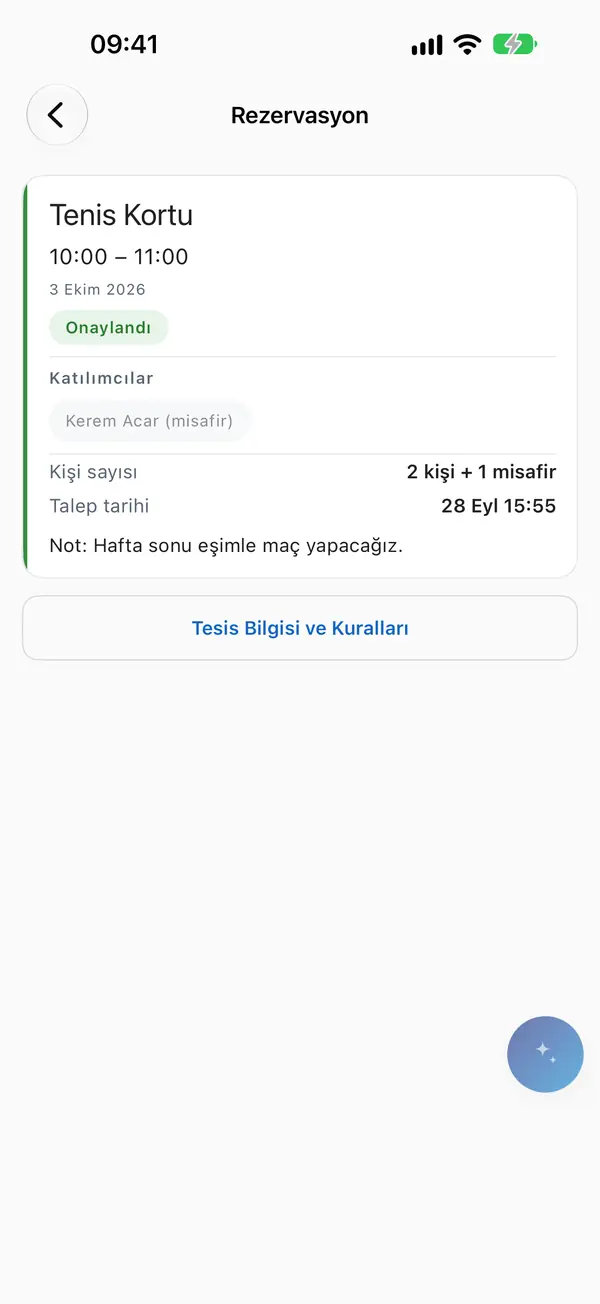
Picking a slot.


Questions
How are paid facilities paid for?
The resident uploads a bank transfer receipt that management approves, or staff take cash at the door. Both go into the operating ledger.
What about unpaid bookings?
When the payment window passes before the slot starts, the booking is dropped and the slot opens up. No late fee is added to facility charges.
Can residents cancel?
Yes, within the facility’s cancellation window. Management can always cancel or move a booking.
How do we stop one person taking every slot?
Each facility can limit active bookings and weekly slots.