
Announcements and requests
Announcements to the right people, requests that do not get lost.
The site’s communication lives in a system of record, not on a notice board or in chat groups.

What changes, and for whom
For residents
Announcements are split into unread and earlier. You open a repair request with photos, see who is handling it and message them. You hear when the job is done.
For managers
Send to the whole site, all residents, a block, a floor, selected flats or staff. The recipient count is shown before sending, and an announcement can be scheduled. Requests are assigned to staff, and overdue work raises an alert.
For staff
Management staff see their assigned requests and work orders on their phone, start the job, and complete it with a check photo.
How it works
- The resident opens a request in one of 12 categories (cleaning, lift, water, electricity, heating, noise, security, common area, parking, pests, accounting, other) and adds up to 5 photos.
- The manager assigns it to management staff and can add a note the resident does not see. If needed, the request becomes a work order.
- Staff add at least one check photo when completing the work. The manager reviews and verifies it.
- Once closed, only the resident who opened it can confirm it as solved. If it is not solved, it is reopened.
Try posting an announcement and opening a request on the home page
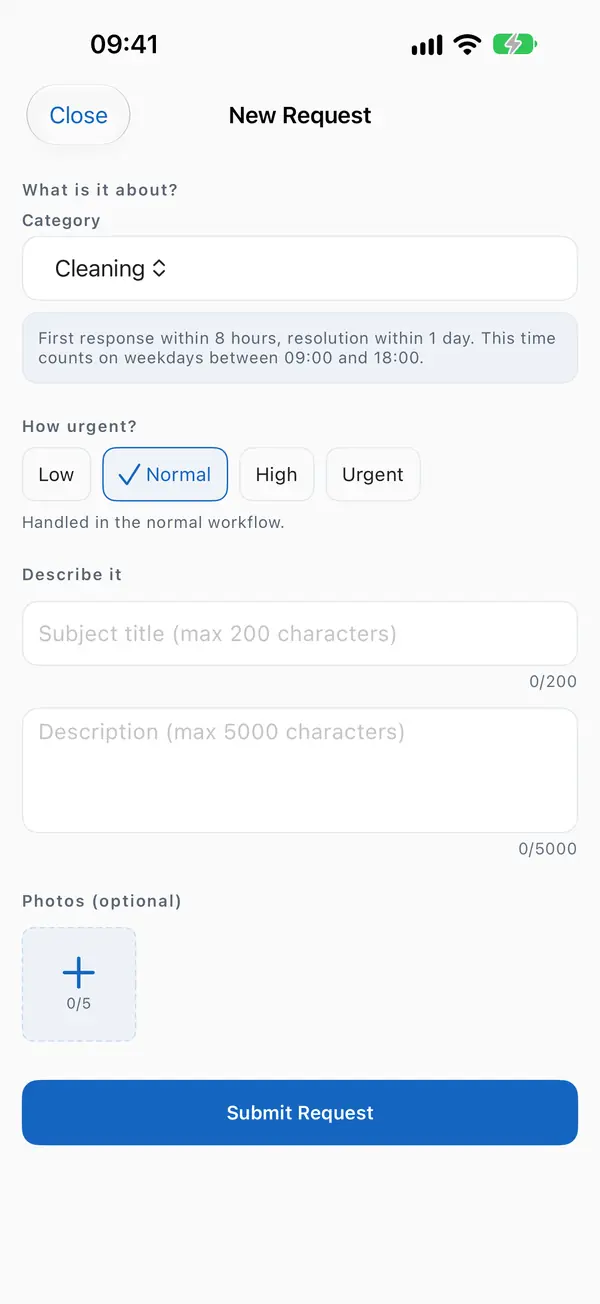
Opening a request. 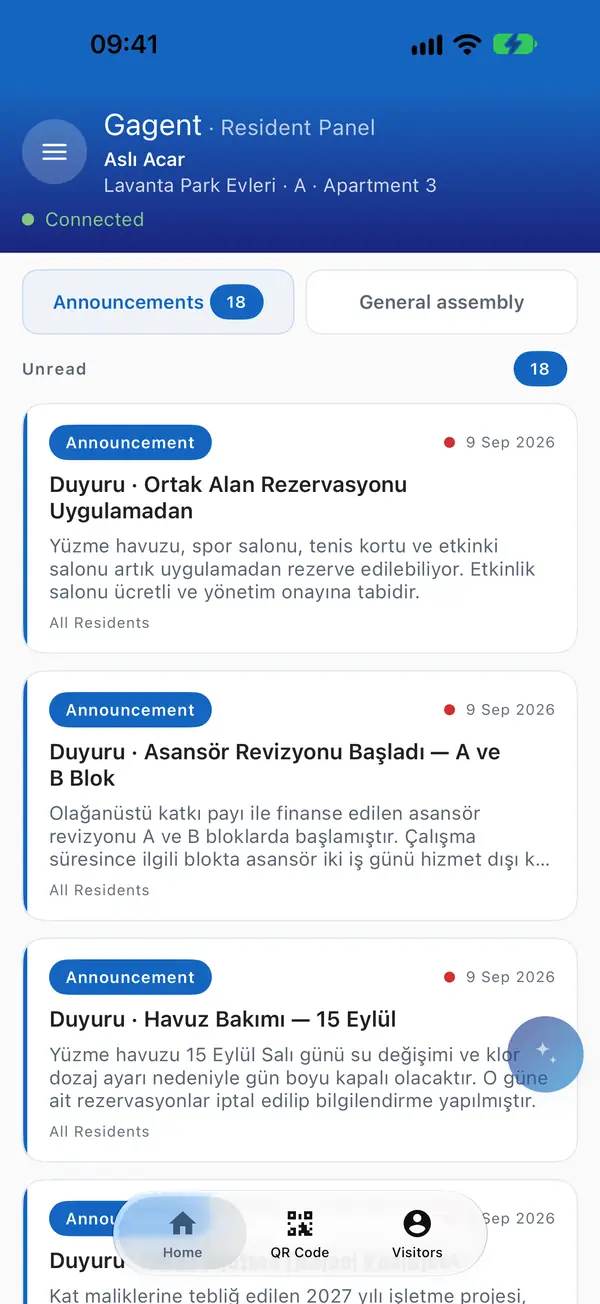
Announcements. 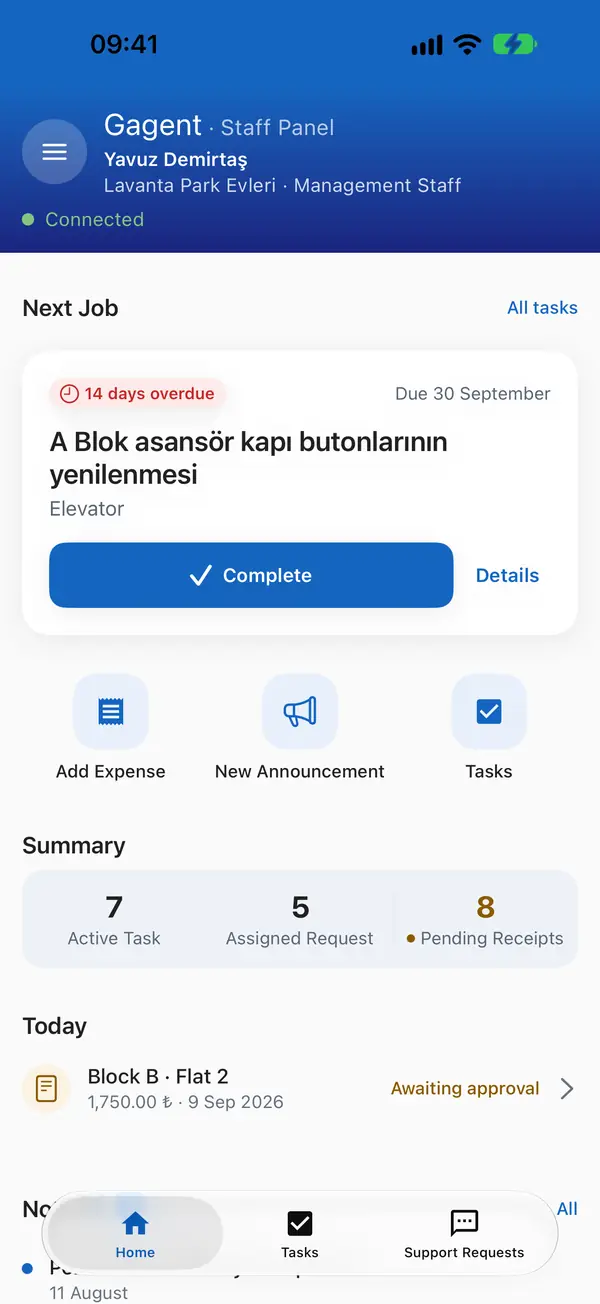
Staff work list.


In the management panel

Questions
Are response times tracked?
Yes. In urgent categories such as water, electricity and lift the clock runs continuously, in others such as cleaning or parking it runs during working hours. An alert goes out when the first response or resolution time is exceeded.
Can announcements carry images?
Yes, up to 5. A scheduled announcement can be cancelled before it is sent, a sent one cannot be changed.
Who received an announcement?
Recipients, delivered and failed counts are shown for every sent announcement.
Can residents turn notifications off?
Each optional notification type has its own setting and quiet hours. Essential ones such as gate calls cannot be turned off.