
Gate access
Your gate opens only in the ways you allow.
Gagent fits your existing gate, knows who is arriving and logs every opening.

What changes, and for whom
For residents
Walk up and the gate recognises your face. Those who prefer not to enrol their face show a one-time code on their phone. No remote, no PIN.
For managers
Who came in, through which gate, by which method and when, in one list in the panel. Records cannot be edited afterwards. Whether every gate and device is online is shown in the same place.
For staff
The unit handles routine arrivals. A guard steps in only when a decision is needed, and decides from the phone.
How it works
- The unit is mounted next to the gate and connected to its lock or barrier through a relay output.
- The gate opens only by a recognised face, a resident’s one-time code, a valid guest QR invitation, a registered number plate at vehicle gates where plate recognition is installed, the resident’s approval or the guard’s decision.
- Every opening is logged with time, gate and method. For face and visitor entries the photo of that moment is added to the record.
- If someone slips in behind a person the gate opened for, security is notified with a photo. The guard decides whether it is a real breach or a false alarm.
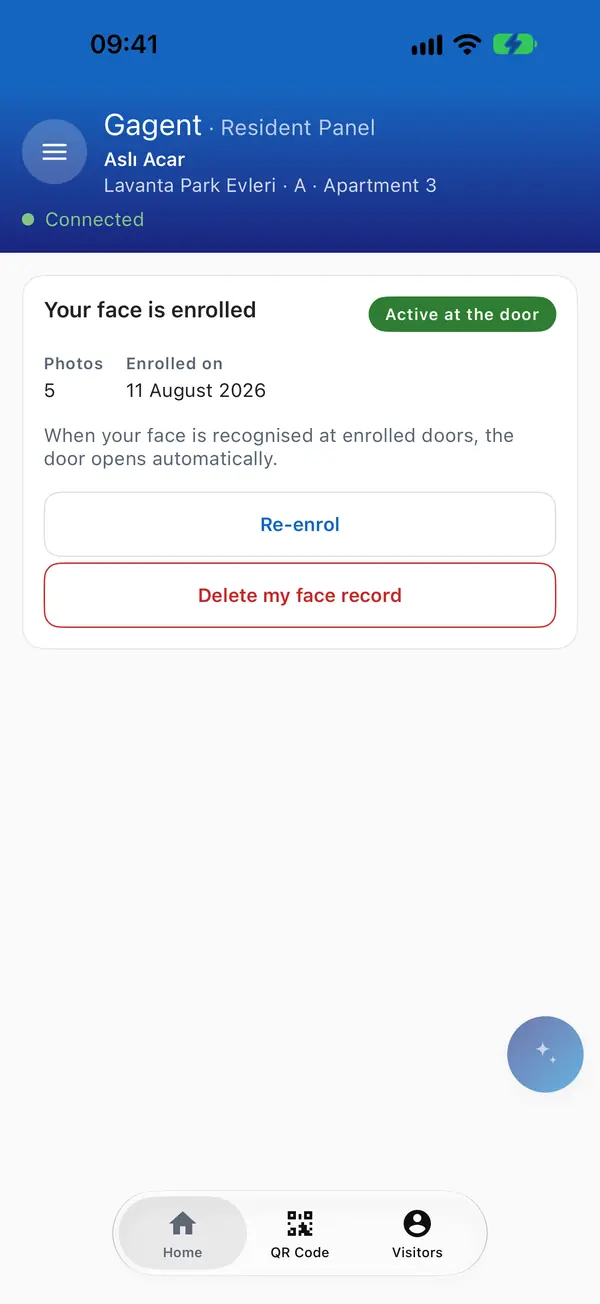
Face enrolment is optional.

In the management panel


Questions
Do I have to enrol my face?
No. Face enrolment is optional. Anyone can pass with the one-time code on their phone. The code is valid for 5 minutes and works once.
Is my face photo stored?
Your enrolment photos are not stored, only a numerical template is derived from them. When you pass the gate with your face, the photo of that moment is stored with the entry record. You can delete your face enrolment at any time, and a deleted face is no longer recognised at the gate.
Can a manager open the gate from the panel?
No. Nobody, managers included, can open the gate from the panel.
What if the internet goes down?
Gagent asks the server for approval before every opening. Without a connection the gate is not opened through Gagent and stays on the safe side. When the connection returns the unit reconnects on its own and the records from that period are kept.